

If you have an AVM Fritz!Box DSL router and want your incoming calls answered by an AI voice agent, you are in luck. The Fritz!Box has a largely undocumented feature that makes this surprisingly easy: you can register an external SIP account and divert calls to it.
I have been using this setup with callagent.pro to answer calls in German, and so far it has been working very well. The AI agent handles customer support questions, takes bookings and manages scheduling — all without any additional hardware or complex PBX configuration.
Here is how to set it up in just a few minutes.
Step 1: Create a Free Agent at callagent.pro
Go to callagent.pro and sign up for a free account. Once you are in the dashboard, create a new AI agent. Configure the language, voice, and provide the agent with instructions about your business — what it should say, what questions it can answer, and how to handle appointments or bookings.
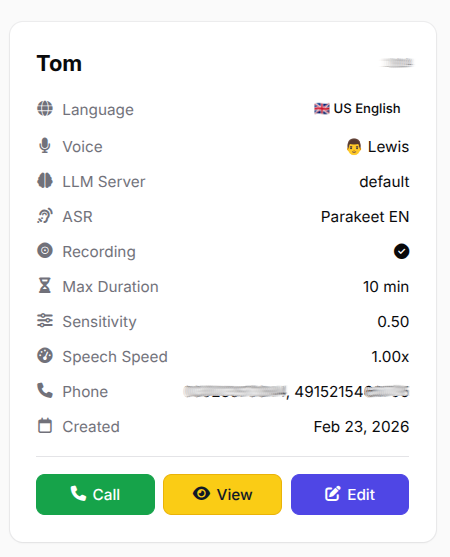
Your agent card in the callagent.pro dashboard — configure language, voice, and behaviour.
Step 2: Copy Your SIP Credentials
Navigate to the SIP/IAX section in your callagent.pro dashboard. Here you will find your SIP account with a username (e.g. 1000xx) and password. You will need these to register the Fritz!Box as a SIP device.
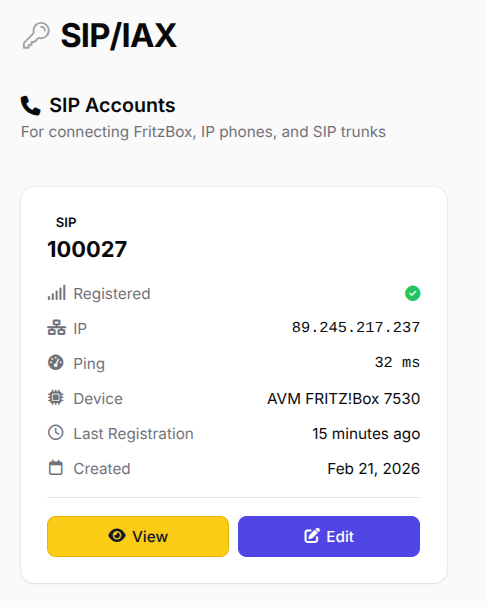
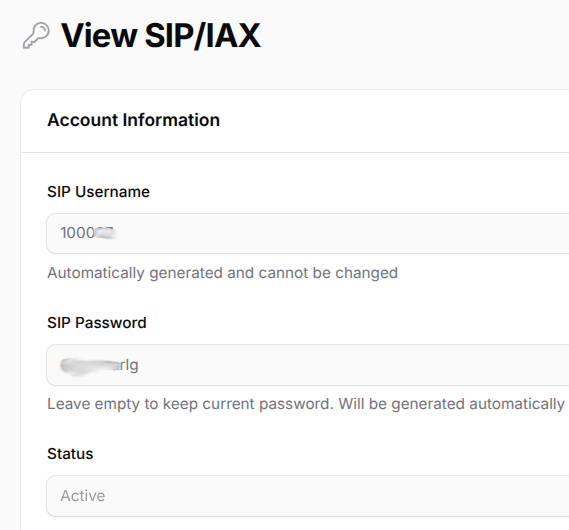
Left: Your SIP account showing registered status. Right: The SIP username and password you will need.
Step 3: Add a New SIP Account in Fritz!Box
Log into your Fritz!Box admin panel (usually at fritz.box or 192.168.178.1). Go to Telephony → Telephone Numbers and add a new telephone number. Choose the option for another provider / SIP account and enter the following:
- Username: Your callagent.pro SIP username (e.g.
1000xx) - Authentication name: Same as your SIP username
- Password: Your callagent.pro SIP password
- Registrar:
callagent.pro - Proxy server:
callagent.pro
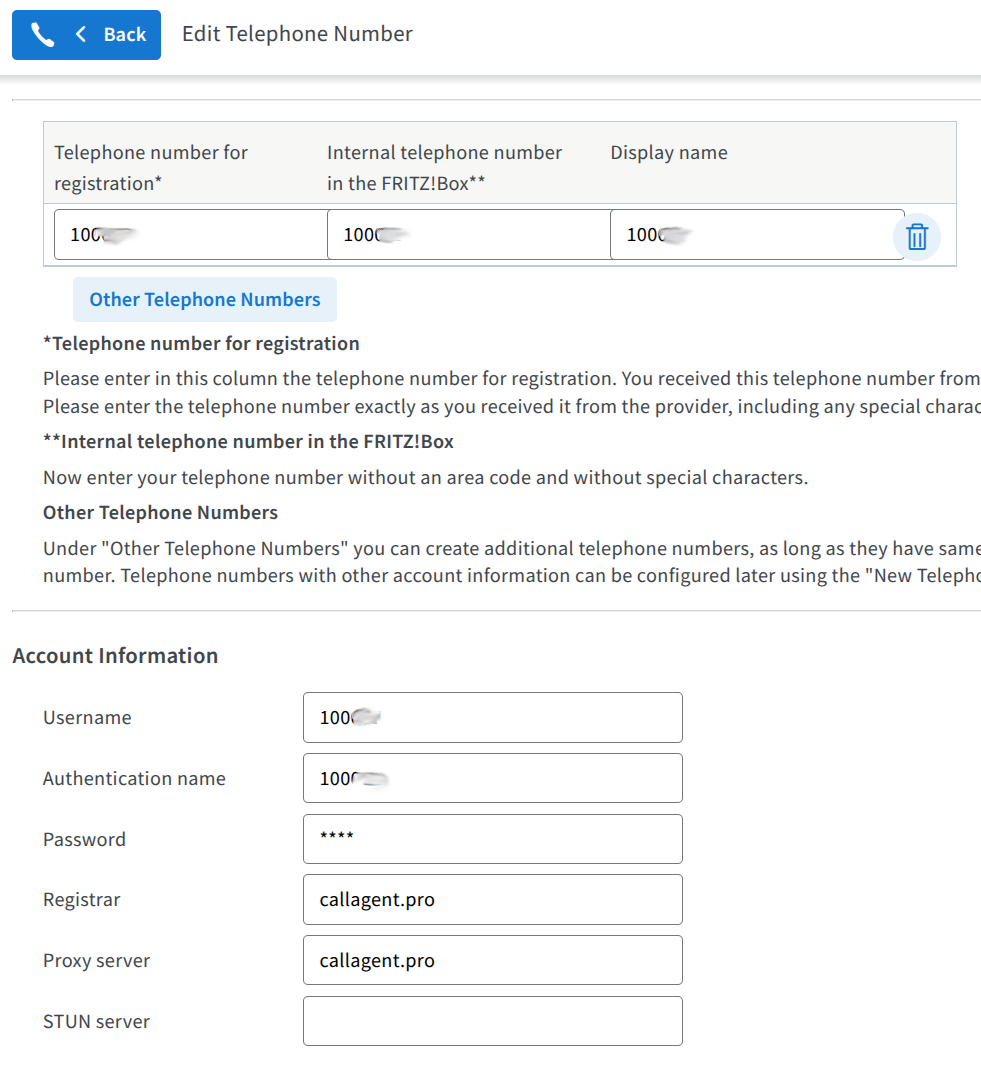
Fritz!Box SIP account setup — enter your callagent.pro credentials as the registrar and proxy.
In the Additional Settings, make sure "Always register via an internet connection" is checked. The Fritz!Box supports encrypted telephony via SRTP — enable it if available for better security.
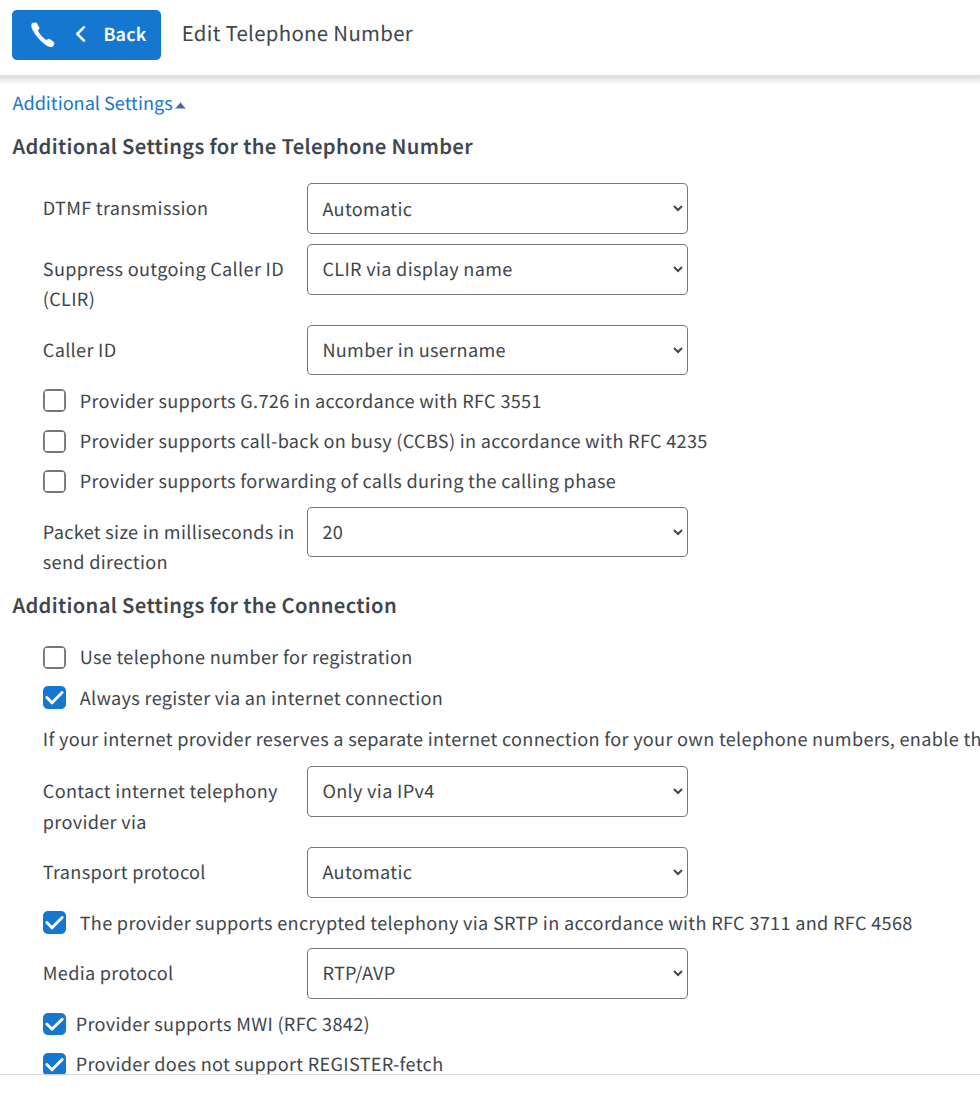
Additional SIP settings — enable "Always register via an internet connection" and SRTP encryption.
Once saved, the SIP account will appear in your Telephone Numbers list, showing callagent.pro as the provider. If the registration is successful, you will see a green status indicator.
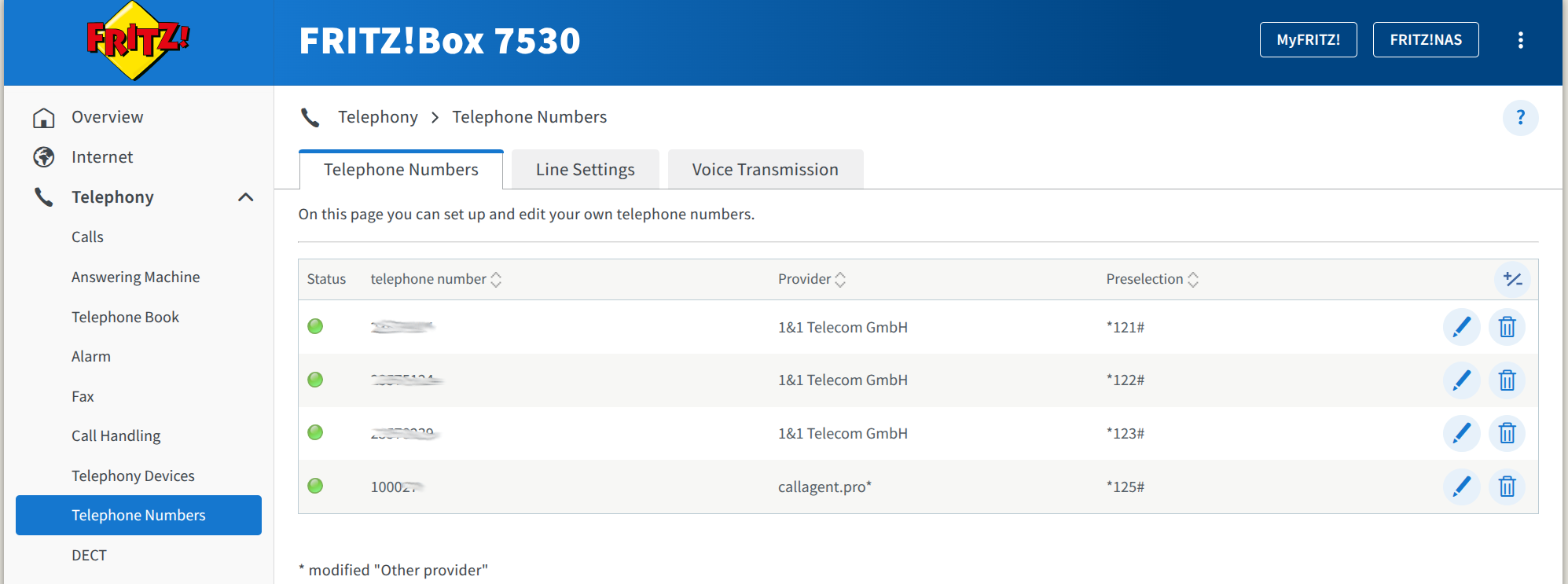
The callagent.pro SIP account appears alongside your regular phone numbers with a green status.

Step 4: Set Up Call Diversion
Now go to Telephony → Call Handling → Call Diversion. Here you will configure which of your phone numbers should be answered by the AI agent.
Create a new call diversion rule:
- Select the phone number you want the agent to answer
- Set the diversion destination to the SIP telephone number you registered with callagent.pro (your
1000xxaccount) - Set the condition to "immediately" so every call goes straight to the AI agent
Tip: If your full phone number is 0301234567, you typically only need to enter the local part 1234567 as the diversion destination, using the SIP account you registered with callagent.pro.
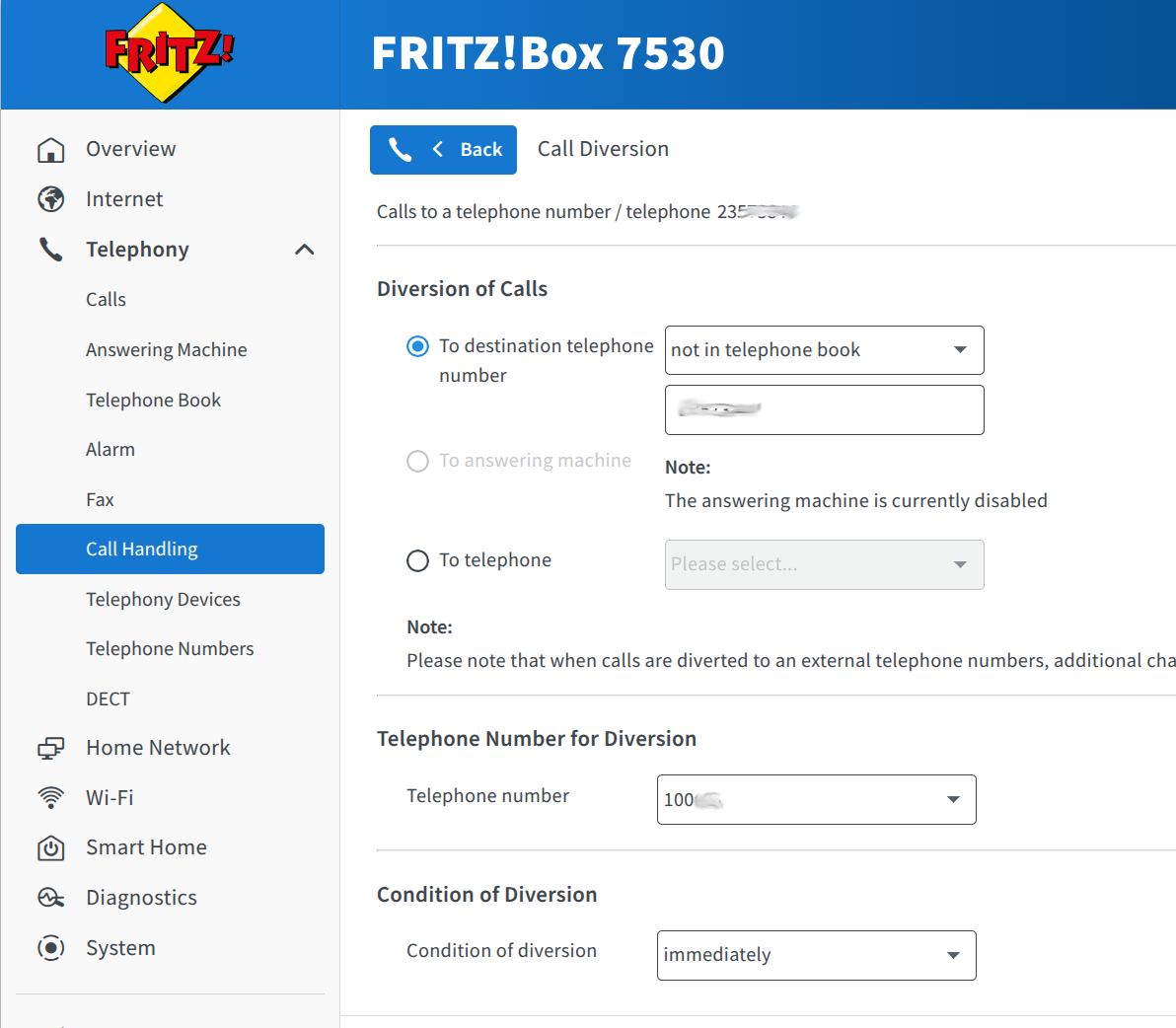
Call Diversion configuration — divert to the callagent.pro SIP number with "immediately" condition.
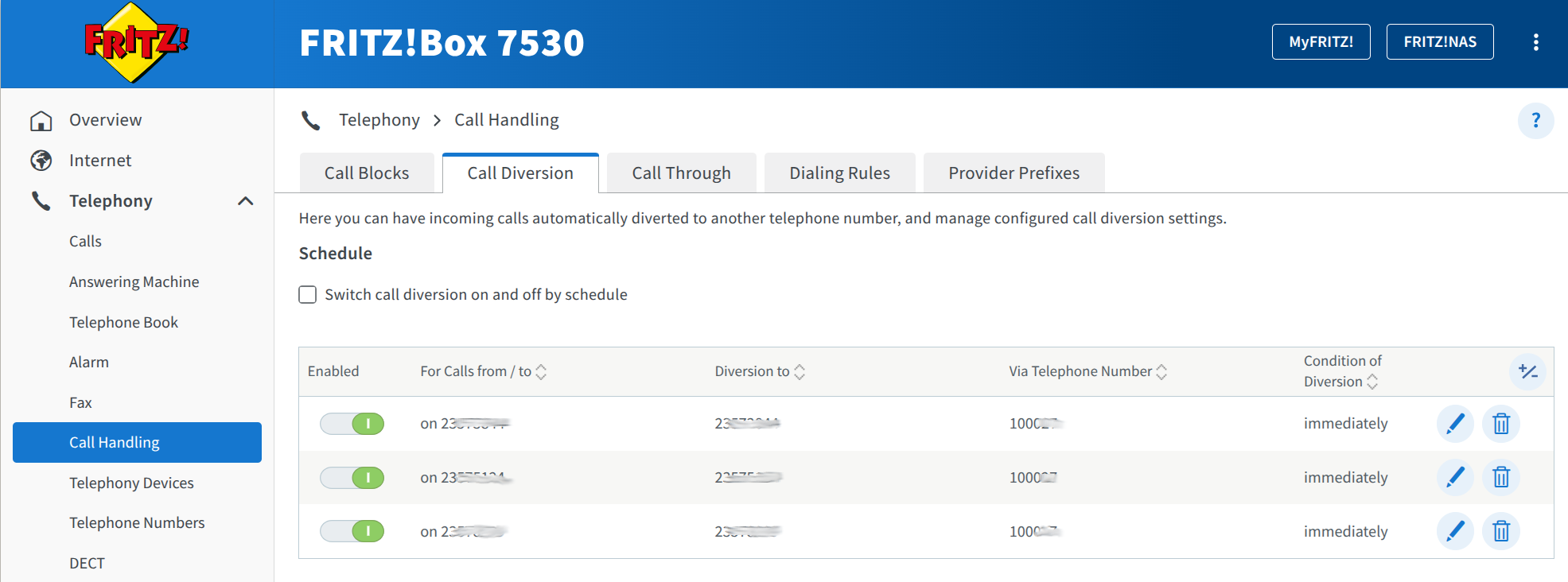
Active call diversions overview — all selected numbers are routed to the AI agent.
Step 5: You Are Done!
That is it. Make a test call to your Fritz!Box phone number and it will be answered by your AI agent. Back in callagent.pro, you can confirm everything is working: the phone number will appear in your Phone Numbers section, and the SIP account will show as Registered with your Fritz!Box device.
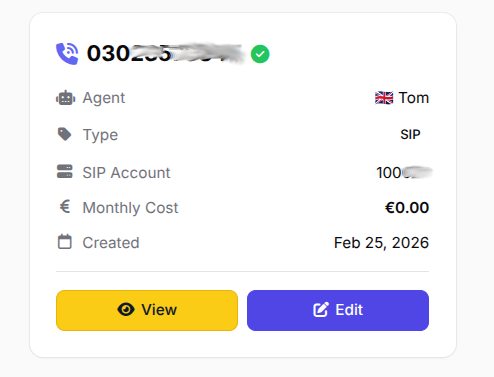
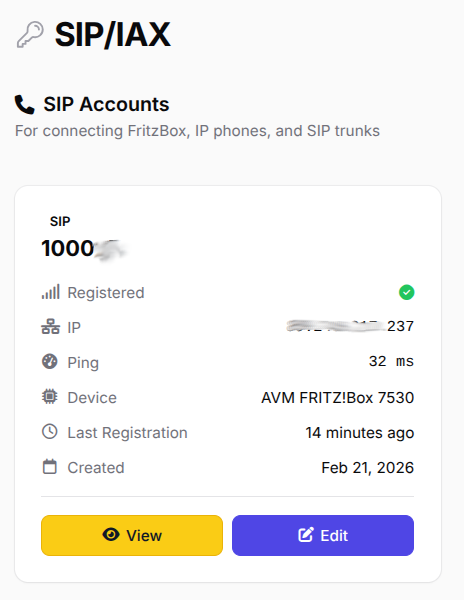
Left: Your phone number linked to the AI agent. Right: SIP account registered from your Fritz!Box.

Summary
Routing calls from your AVM Fritz!Box DSL modem to an AI voice agent takes just a few minutes and requires no additional hardware. The Fritz!Box's built-in SIP account feature (though largely undocumented for this use case) pairs perfectly with callagent.pro to give you a fully automated receptionist that handles support, bookings and scheduling 24/7.
- Create a free agent at callagent.pro
- Copy your SIP username and password
- Add a SIP account in Fritz!Box → Telephony → Telephone Numbers
- Set up Call Diversion to route calls to the SIP account
- Call your number and let the AI agent pick up
Ready to get started?
Create your free AI voice agent and connect it to your Fritz!Box in minutes.
Get Started Free